Contents
The H1 tag is often overlooked, maybe because it’s so short and feels insignificant. However, this short tag is the most important heading on a page. It defines the page’s primary topic, enabling search algorithms to understand what it’s about and suggest it to the right audience. In this guide, we’ll explore the H1 tag, why it matters for SEO, and the best H1 practices.
What is an H1 tag?
An H1 tag is an HTML element that defines the main heading of a webpage. It tells users and search engines what a webpage is about and is an essential part of SEO. Each page needs one unique H1 tag.
Difference between H1 and the page title
An H1 tag is visible on a webpage itself, while the title tag is visible only on browser tabs and search engine results pages (SERPs). They are both header tags, but serve different purposes.
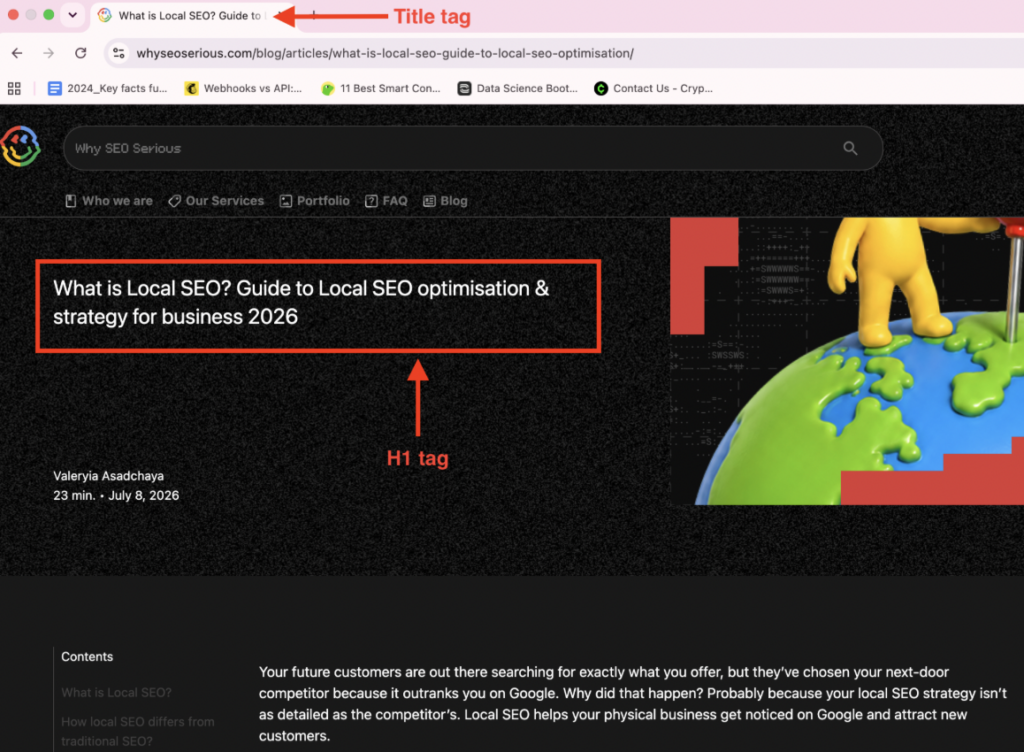
- The title tag is a short description of the webpage, written in a compelling way to make people click on it.
- The H1 is a precise description of the webpage, written in a straightforward tone.
Suppose an author posts a tutorial about changing an iPhone’s screen protector. The H1 would be an apt description of the article:
- How to change your iPhone’s screen protector.
But, for the title, the author can adjust their tone to make it sound compelling:
- A step-by-step guide on changing your iPhone’s screen protector.
Search engines rely on the title tag to know if a page is relevant to a specific search query, while the H1 tag helps search engines understand the content itself.

Example of H1 usage in HTML
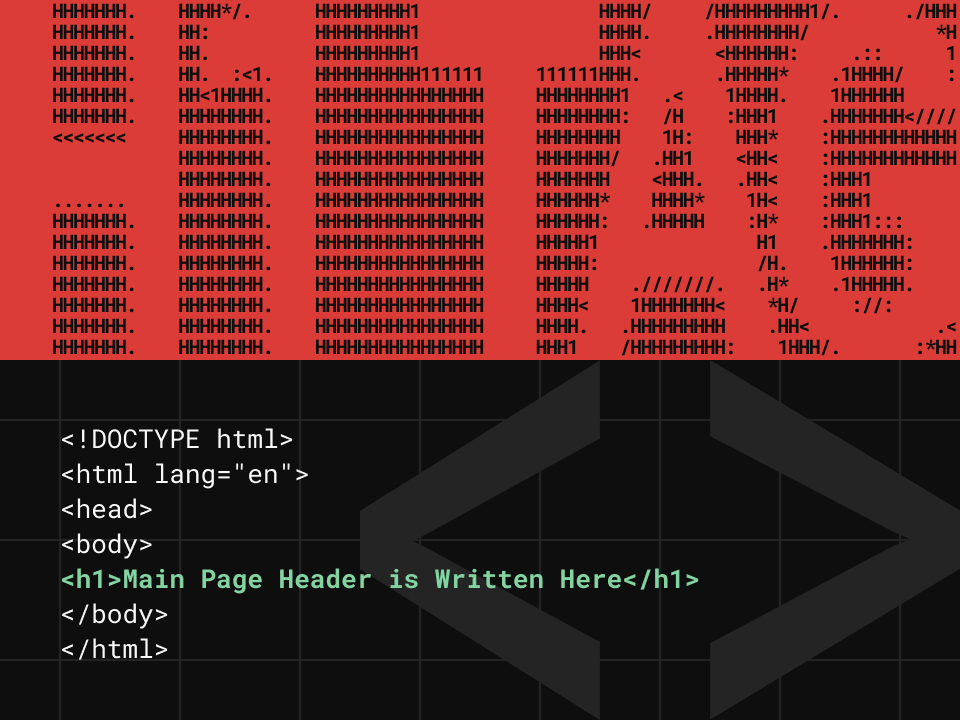
An H1 tag is defined by <h1> in HTML code. It looks like this:
| <!DOCTYPE html> <html lang=”en”> <head> <title>Заголовок вкладки</title> </head> <body> <h1>Main Page Header is Written Here</h1> </body> </html> |
When using a content management system (CMS) like WordPress or Wix, you don’t have to edit code directly. Rather, a box is provided to write the page’s primary heading, and this heading is automatically inserted into the h1 tag.
Best practices for H1 tags
You’ve understood what an H1 tag is. Now, it’s time to know the tips for using H1 tags effectively. Let’s explore the best practices below:
Use a single H1 per page
A webpage should have only one H1 tag. This single tag provides a clear path for search crawlers to understand what the webpage is about. If there are multiple tags, crawlers may get confused and index the wrong information. Imagine walking into a bookstore and noticing a single book with multiple titles– that’s how multiple H1 tags can look to a search crawler, although there are exceptions to this rule.
Include the primary keyword naturally
The main target keyword should be naturally included in the H1. Keyword-optimised H1 tags help search engines understand the content and match it with search intent. It boosts visibility and helps a page rank higher in search results.
For example, if you write an article targeting the keyword “Best Shoes to Buy,” the H1 can be “The Best Shoes to Buy in 2026.” The natural inclusion of the primary keyword makes search engine crawlers understand the page at first glance.
Keep H1 tags concise (around 60 characters)
Try to keep H1 short and succinct (up to 60-70 characters) so that it is fully readable on mobile devices. It should be a brief description that reflects what the page is about. A straight-to-the-point H1 tag is a clear pointer to both search crawlers and readers, helping the latter confirm that they’ve arrived at the right content. It reduces bounce rates in the long term.
Long H1 headings can also look awkward on small mobile screens, occupying excessive space and creating an unideal user experience. The shorter, the better.
Align H1 with the title tag strategically
Incorporate the primary keyword into both the H1 and title tag. This alignment helps search algorithms understand the content and confirm search intent. It also avoids confusing users who view the title tag on a search engine, then click on a site and see the H1 afterward – when both tags are aligned, it creates a consistent experience.
However, the title tag can incorporate language to make it sound more compelling, while the H1 tag is a precise, straight-to-the-point description. Take, for example:
- H1: The best 3D printers of 2026.
- Title: Best 3D printers to choose from: First-hand reviews & buying guide.
Above, the title tag is more compelling, while the H1 is very precise, and both incorporate the primary keyword, “Best 3D printers.”
How about this example?
- H1: The best 3D printers of 2026.
- Title: 3D printers to buy in 2026.
Above, the title tag doesn’t sound compelling, and it doesn’t share a primary keyword with the H1. Both tags are unaligned, so this structure won’t deliver good results.
Write H1 for readability and engagement
An H1 tag isn’t for search crawlers alone. It acts as a signal to both crawlers and human readers, so don’t forget to prioritise readability when writing one. Use descriptive language like “How To,” “A Guide To,” “10 Steps For,” etc. Avoid vague language like “Announcement” or “Important Info.”
Frame the H1 as a solution to the reader’s problem, as it’s the first thing the reader encounters on a page. With this framing, the reader gets encouraged to scroll for more content.
Avoid keyword stuffing or generic phrasing
Just above, we advised incorporating the primary keyword into an H1 tag for better visibility. We should also emphasize the need to avoid keyword stuffing, which is when keywords are inserted in a way that sounds unnatural. Also, avoid generic phrasing, which entails using vague phrases like “Welcome,” “Our Products,” and “Homepage.”
If the tag sounds robotic, clunky, and forced, it likely isn’t a good one. Consider this H1 tag example:
- SEO services to grow your organic traffic.
It sounds straightforward and descriptive.
Now, consider this example:
- SEO services, content creation, SEO optimisation.
It feels stuffed and sounds unnatural, and search crawlers penalise pages with stuffed keywords, so it should be avoided.
Common myths about H1 and SEO
Let’s explore some common myths people have about H1 tags and why these myths are wrong:
Myth 1: H1 directly improves rankings
Proper H1 tags are a fundamental part of your SEO strategy. However, an H1 tag doesn’t directly affect search rankings. Instead, it helps search engines understand content better and recommend it to the right users. Having in-depth, high-quality content is the main contributor to high search rankings, not meta tags.
Myth 2: Multiple H1 tags are harmful
Multiple H1 tags aren’t inherently harmful to search rankings. For example, an author can create separate H1s for different sections of a long article. However, multiple H1 tags can lead to a less clear hierarchy, confusing both search crawlers and readers.
In most cases, a single H1 tag on a webpage is the best option. The exception is when using multiple H1s to define clearly distinct sections of a webpage.
Myth 3: H1 must exactly match the title tag
H1 and title tags should be aligned, which we’ve discussed above. However, they don’t need to be an exact match. Making them slightly different is the best practice, with the H1 tag sounding straightforward and the title tag sounding persuasive. Both should incorporate the primary keyword, but they shouldn’t be the same thing.
Myth 4: Styling alone is sufficient for headings
Some site owners assume styling, like making a text bold or increasing its font size, is sufficient for creating headings, but this isn’t true. Headings must be clearly defined with HTML tags (<h1>, <h2>, <h3>, etc.).
If using a content management system like WordPress, you can create headings on the visual interface, and HTML tags will automatically be created for them. However, visual cues are not enough for specifying headings– an H1 tag is precisely defined by an HTML code snippet.
Myth 5: H1 is irrelevant in modern SEO
As search engines have advanced, thanks mostly to artificial intelligence (AI), some publishers feel that H1s are increasingly irrelevant. “After all, search engines have become sophisticated enough to understand a page’s content without resorting to H1 tags…” is the rationale, but this isn’t true.
H1 tags remain a key part of on-page SEO, and Google hasn’t indicated otherwise. An H1 tells search crawlers exactly what a page is about. For readers, it indicates if they’ve found exactly what they seek. A clear H1 hooks readers immediately when they enter a page.
How to audit H1 tags on your site
Now that you’ve learned the best practices for using H1 tags and myths to be dispelled about them, the next essential step is learning how to audit H1 tags on your site and ensuring they’re properly placed. Let’s explore H1 auditing methods below:
Manual HTML inspection
You can view the H1 tags for any web page via your browser. Follow these steps:
- Right-click on a webpage opened on your browser.
- Click View Page Source. Alternatively, press Ctrl+U (Windows/Linux) or Cmd+Option+U (Mac PCs) to view the page source on any opened browser page.
- Inspect the page source code and ensure the primary heading is wrapped in <h1> tags, such as
<h1>Main Page Header is Written Here</h1>.
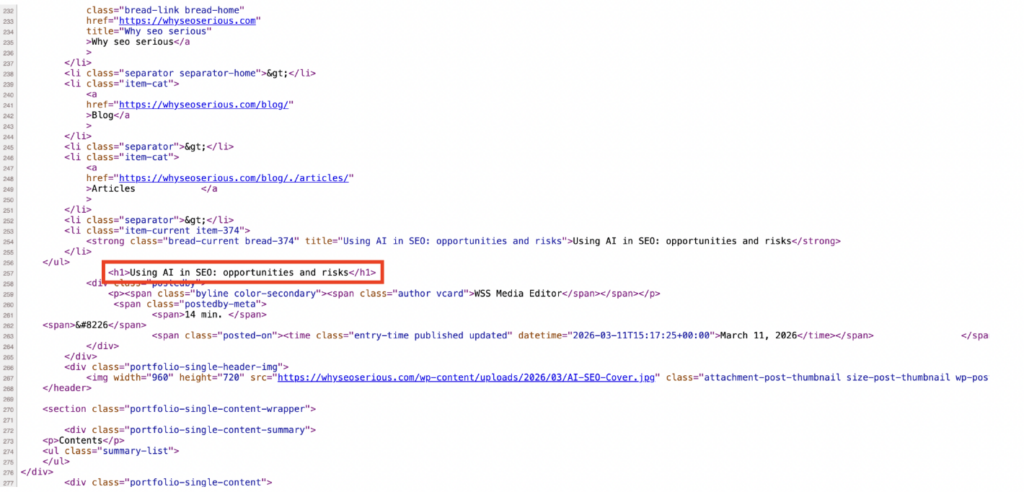
4. If there’s no heading wrapped in H1 tags, it indicates the lack of the tag, and it should be added.
Using SEO audit tools
Various SEO software tools offer a H1 checker, often for free. This checker scans a webpage to confirm if a H1 tag is present. If absent, you’ll be notified to include the tag in the webpage. Screaming Frog’s SEO Spider, Semrush, and Ahrefs are examples of such tools. Simply enter the webpage address, wait for the scan to complete, and you’ll be notified if a H1 tag is present or absent.

Checking for keyword relevance and length
Relevant H1 tags incorporate a page’s primary target keyword, and the ideal H1 length is around 60 characters. Thus, before publishing a page, confirm that the H1 naturally includes the primary keyword and is concise.
Ensure H1 matches page intent
A proper H1 tag should be descriptive and match the page’s search intent. Picture what brings a user to your page – to learn (informational), compare options (commercial), or buy an item (transactional). The H1 should exactly match their intent.
For example, an informational H1 tag can be How to Choose the Best Dress Shoes of 2026. For commercial intent, it can be 10 Best Dress Shoes To Buy in 2026, and the transactional option can be Save 50% on these Dress Shoes Under $100.
Conclusion
H1 tags may not influence rankings directly, but they’re a key part of SEO. A concise H1 heading, clear content structure, and in-depth information contribute to a page’s SEO standing. We’ve explained why H1 tags are important and the best practices for them, so incorporate these practices to get optimal results. At Why Seo Serious, we offer full-stack SEO services for businesses seeking to grow their online presence and boost organic traffic. Contact us today to see how we can increase your site’s search engine authority.
FAQs
Can you use multiple H1 tags?
Yes, you can use multiple H1 tags in some cases, like specifying distinct H1s for different sections of a webpage. However, a single H1 tag is the best option to provide clarity for readers and search engines.
Should H1 and title tags match?
The H1 and title tags of a webpage should be aligned, particularly incorporating the primary keyword, but they shouldn’t be exactly the same.
Does H1 directly impact search rankings?
H1 tags don’t directly impact search rankings, but they help search crawlers understand content and recommend it to the right audience.