Contents
You’ve followed the SEO recommendations and taken active steps to grow your search rankings, but measuring the effectiveness of your strategies seems difficult. It’s one thing to have a good SEO strategy and another to observe if it’s providing the desired results. Worry no more, as you’ve arrived at the right place to learn SEO performance measurement. This guide explains how to evaluate SEO results accurately and focus on the key metrics that drive organic traffic growth.
Key SEO metrics to track
SEO performance measurement is all about keeping tabs on the right metrics. These metrics indicate whether your SEO efforts are productive or if you need adjustments to get better results. Let’s explore them below.
Organic traffic
Organic traffic represents visitors who arrive at your site from unpaid sources, and search engine results pages (SERPs) represent the largest unpaid traffic source. Hence, the leading SEO performance metric to track is the volume of organic traffic. How many visitors arrive at your website via search engines compared to previous periods? What are the organic traffic trends compared week-to-week, month-to-month, and year-to-year?
For example, if you observe a 15% increase in monthly organic traffic after optimising meta tags (descriptions, alt texts, and titles), it shows that the optimisation is yielding productive results. The content may not have changed, but optimised meta tags help search crawlers understand it better and suggest it to the right users, drawing more organic traffic.
Google provides a free analytics tool for tracking website traffic. This tool, aptly named Google Analytics, displays the traffic source and visitors’ location, and you can compare stats for different periods in an interactive dashboard.
Keyword rankings
A major goal of optimisation is to improve a site’s ranking for specific keywords, so tracking SEO results always involves keyword rank monitoring. With the help of SEO measuring tools like Semrush and Ahrefs, site owners can conveniently track their site’s ranking for relevant keywords, then compare it to competitors’ rankings.
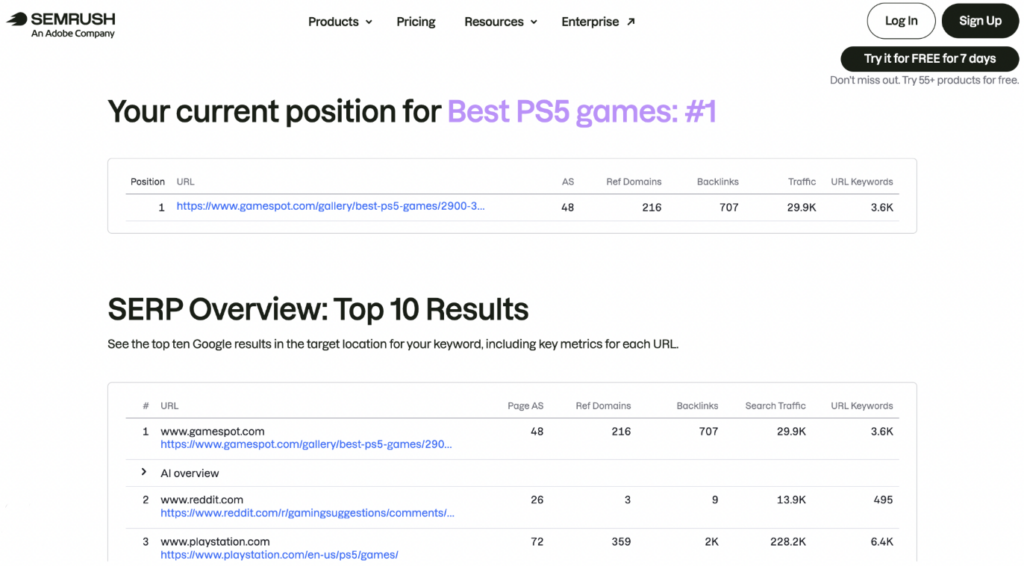
For example, a gaming website can seek to rank high for keywords like “Best PS5 games,” “Best Xbox games,” and “Top role-playing games.” To do that, the site owner creates content incorporating these keywords and providing in-depth information about the best games for each category. With this high-quality, keyword-optimised content, the site can improve its rankings over time for the specified keywords, and this improvement can be measured on Semrush or Ahrefs.
Google Search Console (GSC), a free tool, also helps site owners measure keyword ranking. It shows your site’s average position for any specified keyword. However, unlike paid tools like Semrush, GSC doesn’t analyse search trends to find the best keywords to target, and it doesn’t offer as much competitive intelligence.
Visibility/impressions
Although clicks matter more, impressions are also important SEO metrics to track. The more people who view a website on a search engine results page, the better. All viewers may not click on the page, but higher impressions mean better chances of getting clicks after all.
Site owners can track their search impressions through Google Search Console. This platform shows how many times a site appeared for specific search queries. For example, if you write a blog post about “The best smartphones of 2026,” you can view how many impressions the post got from search engine queries like “smartphones to buy,” “best smartphones,” and “top smartphones to get.”
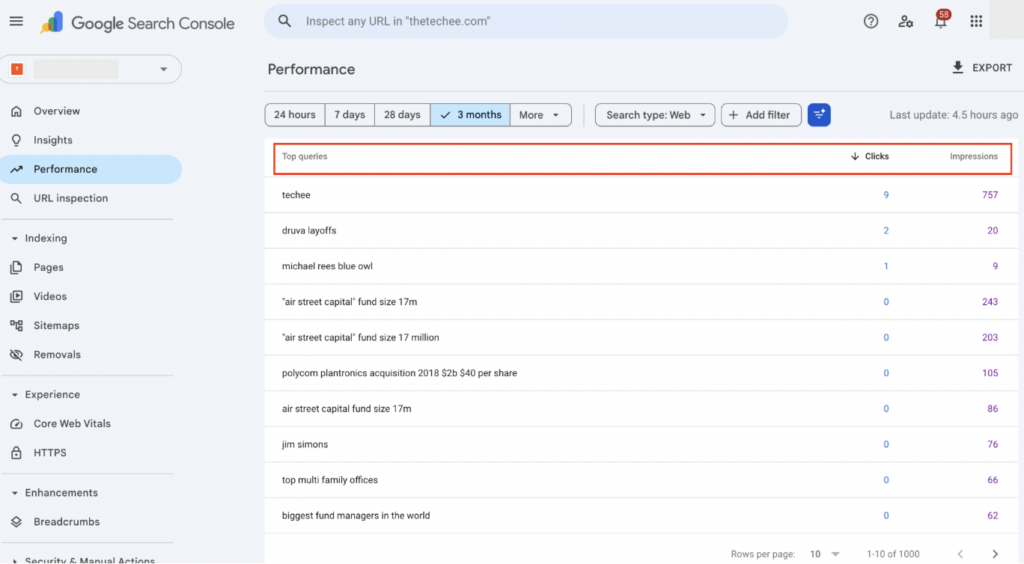
The key is to measure visibility for the most relevant keywords in your niche, not just general visibility. Compare the results over time and to your competitors. Outranking competitors’ visibility is the main goal.

Click-through rate (CTR)
Click-through rate, a key KPI in SEO marketing, is the percentage of people who click on a website after seeing it on a search results page. It’s the ratio of visits to impressions, and can be easily measured with an analytics tool. For example, if a link gets 50 impressions and 5 clicks, the CTR is 5/50, or 0.1, expressed as a percentage, making 10%.
A good CTR depends heavily on your ranking position. For a page ranking #1, a CTR above 25% is typical, while a 3-5% CTR might be decent for positions #4-5. Always benchmark CTR against your average position in Google Search Console.
Conversions from organic search
This SEO metric represents the percentage of organic visitors who complete a suggested action on your website. For example, for an e-commerce website, it can be the percentage of visitors to a product page who clicked on the Add to Cart button. For a blog, it can be the percentage of visitors who clicked on an affiliate link. 2% to 5% is a decent conversion rate, but highly optimised sites can get more than 5%.
How to measure conversion with goals in Google Analytics 4 (GA4)
Google Analytics is a free tool for measuring conversions on your website. GA4, the latest version, lets you track detailed actions like button clicks, video plays, first visits, and downloads. It records details about each visitor, including their location, browser, operating system, and device type. This detailed information is presented in an intuitive dashboard where you can analyze it in real-time.
To use Google Analytics (GA4), you first need to connect it to your website’s backend by installing a simple tracking code. Alternatively, for websites hosted on WordPress, you can simply install the Google Analytics plugin to begin measuring conversions.
Follow these tips to maximise conversions:
- Use detailed product descriptions in e-commerce sites, describing a product’s characteristics and the problems it solves.
- Create in-depth, targeted content that answers specific questions.
- Insert compelling calls to action (CTAs) in your article, such as Claim your Freebie or Sign Up Now. These CTAs should have bold, contrasting colors to make them easy to spot.
- Create a sense of urgency with time-limited offers, such as Offer Valid for 1 Day or Limited Time Only.
- Insert informative, high-quality images in between text blocks. People like seeing occasional images when scrolling through long articles, instead of endless blocks of text.
- For e-commerce sites, include case studies and testimonials from previous customers to build trust.
- Improve your website speed and ensure mobile-friendliness. Visuals can be compressed to their smallest sizes (without compromising quality), and elements should automatically adjust to smaller mobile screens.
Domain authority
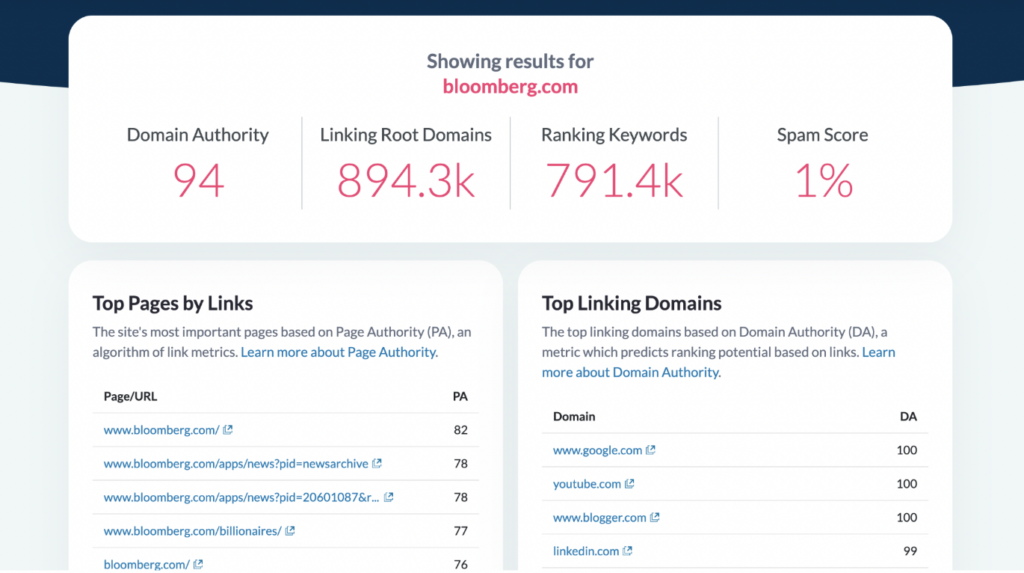
Domain authority is a search engine ranking score developed by Moz, a popular SEO solution. It isn’t a direct factor assigned by Google or other search engines, but it describes a website’s relevance in its niche. The higher the score, the more likely it’ll appear on search engine results pages.
This metric is tracked on a scale of 1 to 100, with new sites having 1 and top-ranking sites having scores close to 100. Moz considers several factors when assigning domain authority, like the number of backlinks, speed & mobile-friendliness, internal links, and depth of content.
Anyone can use Moz’s free Domain Authority checker to check their site’s score. You can also use it to check competitors’ scores. The closer your score is to 100 and the higher it is compared to competitors, the better.
Backlinks count / Referring domains
Backlinks are links to a site from external websites. Search engines use backlinks as a yardstick to establish a site’s authority. If many websites link to a specific site, it logically signals that the site provides high-quality information worth directing readers to.

However, backlinks aren’t a mundane system that can be gamed easily; otherwise, site owners can simply pay others to insert backlinks and get automatic high rankings. Search engines prioritise backlinks from related, high-traffic sites. For example, an electronics blog is best served by backlinks from other electronics-related sites. Backlinks from other sites still count, but those from similar sites provide better results.
SEO tools like Semrush and Google Search Console make it easy to monitor your backlinks. You’ll see the number and name of each site that has linked to your content. Of course, compare your number of backlinks to that of competitors and try to outperform them.
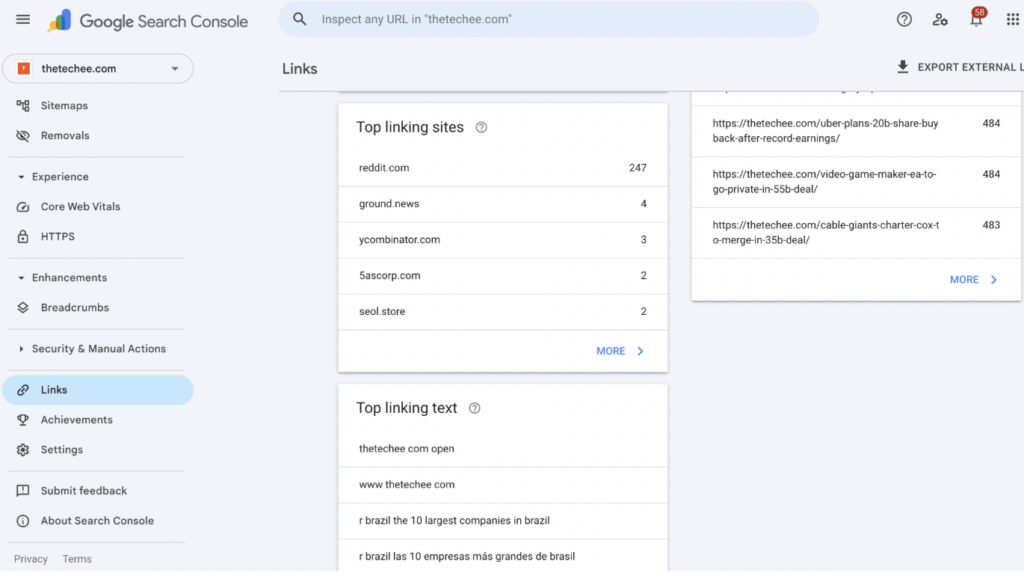
Posting high-quality content with original insights is the best way to get backlinks, as people naturally link to such content. You can also exchange backlinks with other sites or write guest posts that link to your site.
Core Web Vitals (LCP, CLS, INP) / Page speed
Core Web Vitals are custom metrics that Google uses to evaluate a site’s user experience. They include:
- Largest Contentful Paint (LCP): This metric indicates how long it takes for the largest image or text block on a page to load. The faster it loads, the higher the score assigned by Google. Under 2.5 seconds is the ideal range.
- Cumulative Layout Shift (CLS): It indicates how often content unexpectedly shifts around the user’s screen. The less this occurs, the better for users, as unexpected visual disruptions can confuse visitors. A score below 0.1 is ideal.
- Interaction to Next Paint (INP): This metric measures the speed of all user interactions, like taps, scrolling, and clicks. The faster, the better, with less than 200 milliseconds being ideal.
Websites that score high in Core Web Vitals are prioritised over those with lower scores. Google provides a free PageSpeed tool for checking the Core Web Vitals for any website. The scan results page looks like this:
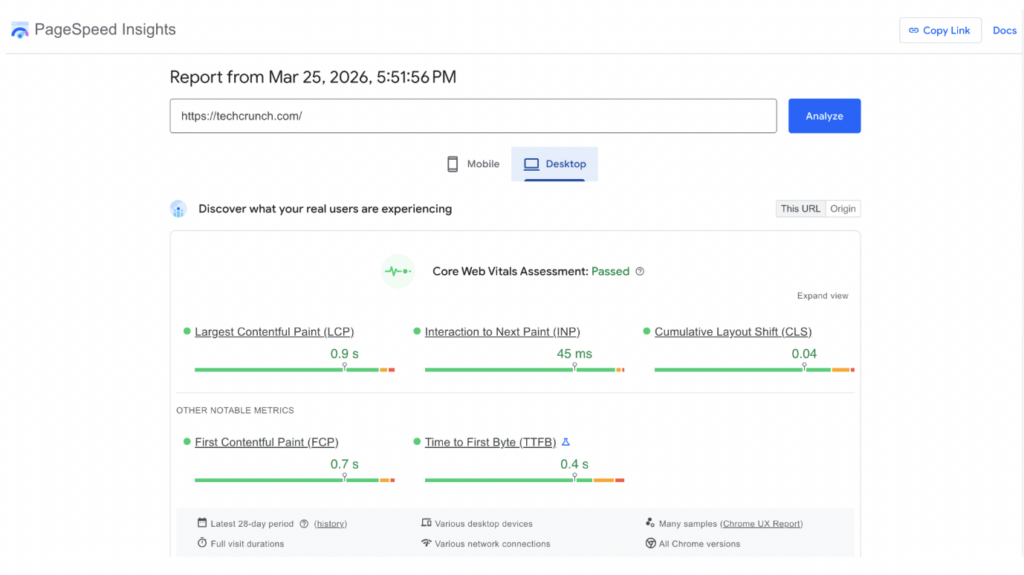
Feel free to use this tool to check your site’s vitals and ensure it falls within the ideal ranges. You can also scan core competitors’ websites and compare their scores to yours.
Indexed pages / Crawl errors
On Google Search Console (GSC), you can view a detailed report on which pages of your website are in Google’s index and which pages weren’t indexed. For the non-indexed pages, Google provides a precise reason, often because of technical errors.
Always check the GSC report about non-indexed pages and correct the errors so that the pages can be reindexed. For example, the error might be a page having a noindex tag, so you’ll need to remove this tag to enable indexing. Without fixing such errors, the pages remain unindexed, leading to lost search traffic.
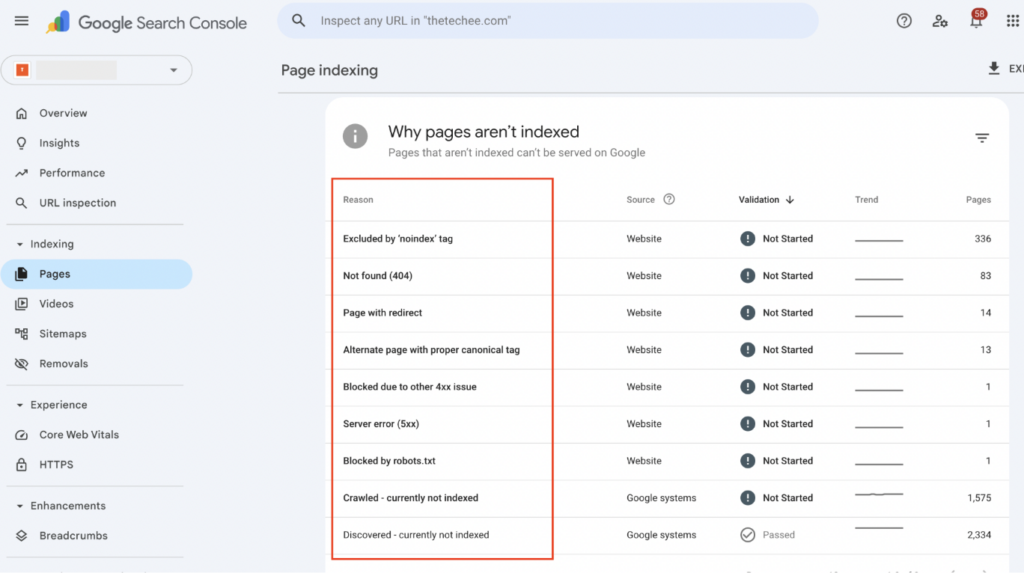
After fixing errors, click Validate Fix in the GSC report, instructing crawlers to recrawl your site and index the fixed pages. Likewise, ensure the pages are included in the sitemap submitted to Google Search Console.
User engagement (average session duration, pages per session, returning visitors)
SEO revolves around getting user engagement, so engagement metrics have to be constantly monitored. Watch out for these key metrics:
Average session duration
The average amount of time each user spends on your site. It’s calculated by dividing the total duration of all sessions by the number of sessions. 1 to 3 minutes is the average, but 3 to 5 minutes (or more) is the ideal range to target, as it indicates in-depth engagement. An average duration below 1 minute is inadequate, signaling the need to update content to encourage readers to spend more time.
Pages per session
This metric represents the average number of pages viewed in each session. It’s measured by the total pageviews divided by the number of sessions. Higher numbers indicate that a site is easy to navigate and provides high-quality content that leaves users wanting to read more. 2 or more pages is a good starting point, but 4 to 6 pages is the ideal range, particularly for e-commerce sites.
Returning visitors
Returning visitors represent the percentage of visitors who have visited your site at least once before. It indicates how loyal your audience is, as engaged readers will likely return for more content. Returning visitors tend to click on ads or buy products more than fresh visitors. 25% to 50% is a healthy rate for this SEO performance metric.
Tools for measuring SEO performance
We’ve mentioned some tools that help SEO professionals measure key metrics, like Google Analytics and Semrush, but there are several more. Below, we’ll explore the best SEO tools and what each specialises in.
Google Search Console – For tracking Google rankings
Google provides a native Search Console for site owners to track their search rankings. First, the owner verifies their domain ownership, and afterwards, can track their search traffic and performance. Key stats provided by Search Console include:
- A detailed list of the keywords attracting visitors to a site. For each keyword, the site owner can view the number of impressions, clicks, and position on Google search results pages.
- Alerts on technical issues that Google identifies on a site, e.g., 404 error pages. These errors should be promptly fixed to ensure proper indexing.
- Core Web Vitals, which are Largest Contentful Paint (LCP), Cumulative Layout Shift (CLS), and Interaction to Next Paint (INP). These metrics, which we’ve earlier explained, are provided in the Search Console dashboard.
On Search Console, site owners can also submit sitemaps and individual URLs to ensure proper indexing.
Google Analytics – For in-depth traffic analysis
Google Analytics is another free tool offered by Google. It gives site owners detailed insights about their traffic, understanding exactly how visitors interact across a site. Key features include:
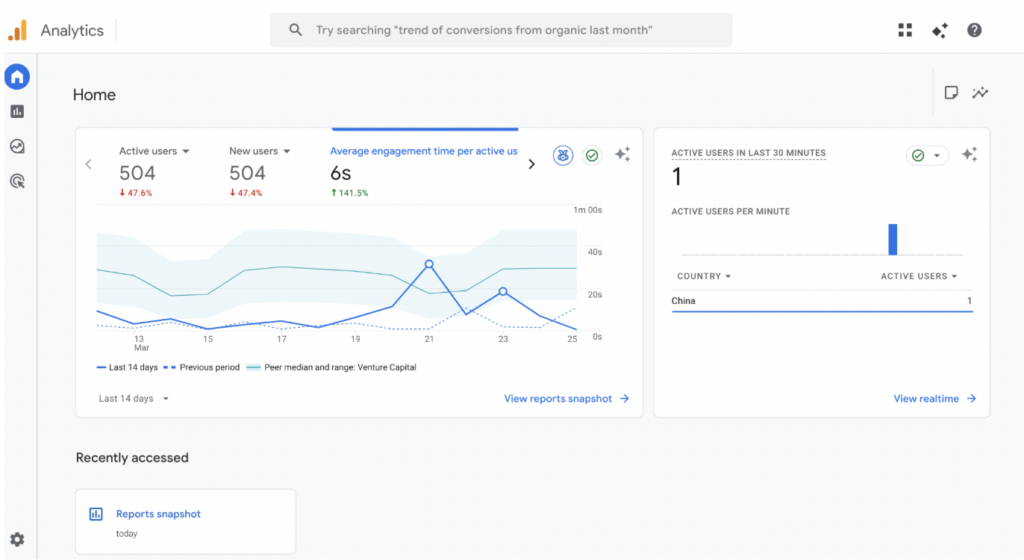
- Real-time reports on traffic, including each visitor’s location, operating system, and time spent on site.
- Detailed engagement reports for the whole site, from average session duration to number of returning visitors, referral sources, and more. Users can also view detailed reports for individual pages.
- Comparison of traffic statistics between different periods in an interactive dashboard.
- Monetization reports for e-commerce sites or sites monetised with Google AdSense.
- User lifecycle monitoring. Site owners can monitor every page visited by distinct users and the time spent on each.
- Integrations with other analytics tools to provide a comprehensive traffic overview.
Rank tracking tools
Semrush and Ahrefs are the most popular rank tracking tools used by SEO specialists. They provide deeper SEO insights than Search Console, but are paid platforms that require a monthly or annual subscription.
Semrush – For identifying keywords and tracking search rankings
Semrush has a vast keyword database that keeps getting updated daily. It helps site owners find the top-performing keywords to incorporate into their content. Then, they can track their site’s rankings for these keywords.
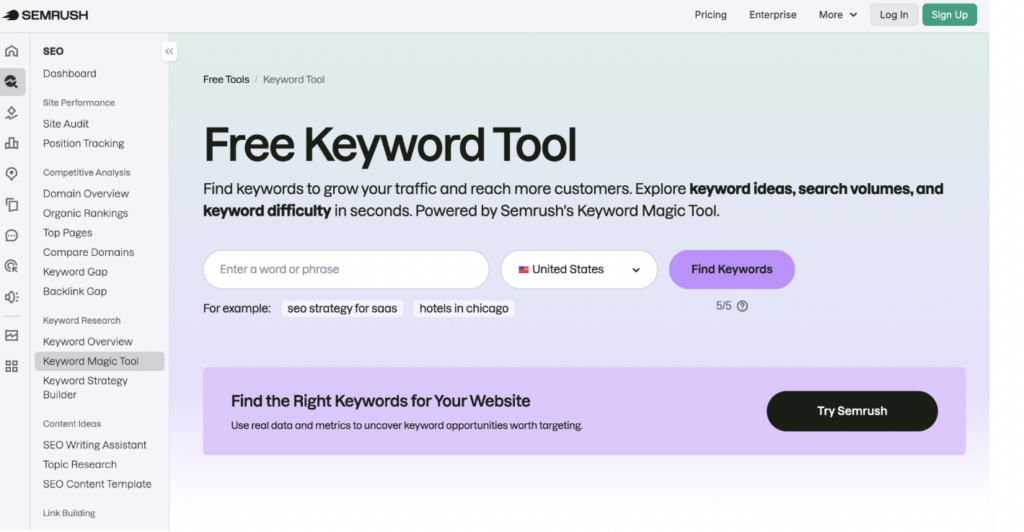
Key Semrush features include:
- Analysing competitors to identify their top keywords, then targeting similar keywords with your content.
- Analysing competitors’ backlinks and targeting similar sites for your backlinks.
- Generating SEO-friendly content ideas and optimising content in real-time for higher rankings.
- Managing Google My Business profiles for better visibility.
- An AI visibility toolkit to monitor and optimise how a website appears in AI-generated answers. With many users increasingly depending on AI chatbots, it has become a major traffic source that can’t be ignored.
- Technical SEO audits and suggesting improvements for a website.
Ahrefs – For rank tracking and competitive intelligence
Ahrefs is a broad SEO platform that lets site owners track keyword rankings, engagement rates, backlinks, impressions, and other key SEO performance metrics we’ve discussed. Site owners can track both their sites and those of key competitors, providing in-depth insights to help them outshine rivals.
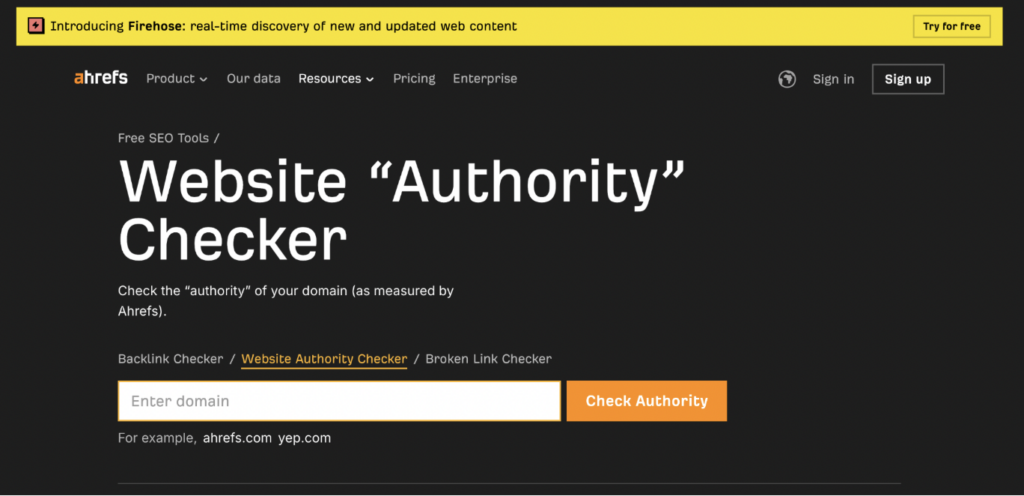
Key features include:
- A rank tracker to monitor a site’s rankings for specific keywords.
- An AI tool that helps optimise content for better search visibility.
- Tracking a site’s visibility to AI chatbots and optimising it for higher visibility.
- Scanning sites for technical SEO issues that hinder rankings.
- Tracking brand mentions on social media and other online sources.
- In-depth competitive analysis, helping site owners discover content gaps to fill in and outrank rivals.
- Managing search engine ad campaigns to produce better results.
Technical auditing tools
Some SEO tools allow site owners to conduct comprehensive technical audits, identifying any issues that could be hindering search rankings. They also provide suggestions on fixing these issues.
Screaming Frog’s SEO Spider – For identifying key technical SEO issues
Screaming Frog is an SEO agency best known for its SEO Spider tool. This tool crawls entire websites to detect technical issues preventing proper search indexing. It mimics the function of a search engine crawler, letting site owners know what technical factors hinder proper indexing of their web pages.
SEO Spider’s core technical auditing features include:
- Identifying broken links (404 errors) that need to be deleted or revamped.
- Pinpointing pages without proper meta tags (H1s, titles, and meta descriptions).
- Generating XML sitemaps to be submitted to Google Search Console for proper indexing.
- Identifying redirect loops can confuse search crawlers and need to be fixed.
- Discovering duplicate content that should be deleted.
- Evaluating internal linking and URL structure.
- Reviewing robots.txt files to identify URLs blocked from indexing.
Users can choose the free version of SEO Spider, which crawls a maximum of 500 URLs, or the paid version, which allows unlimited crawling.
PageSpeed Insights – For Core Web Vitals
PageSpeed Insights is yet another free SEO tool provided by Google. Users can analyse their site’s Core Web Vitals (or that of competitors), which Google prioritises when ranking sites.
We’ve discussed the Core Web Vitals earlier: Largest Contentful Paint (LCP), Cumulative Layout Shift (CLS), and Interaction to Next Paint (INP). They revolve around loading speed, visual disruption, and the speed of user interactions, respectively.
PageSpeed Insights gives detailed reports for any scanned site. You’ll see the exact score for each Core Web Vital, and these can be compared with those of competitors. If your site doesn’t meet the recommended Core Web Vitals, it signals a need to improve its loading speed and make it more visually appealing.
Publishers can improve site speed by compressing images and videos to the smallest possible sizes, ensuring they don’t take too long to load. Visual elements should be arranged neatly, and avoid frequent pop-ups and interstitial ads that disrupt the user experience.
Conclusion
Measuring SEO performance is a key duty of every website owner. In the tight race towards the top of search engine results pages, sites must constantly monitor metrics and know when strategies should be adjusted to achieve better outcomes.
In this guide, we’ve explored the most essential metrics to monitor, both for your site and those of competitors. For site owners who need help with SEO monitoring and strategic implementation, Why SEO Serious provides just that! Contact us today to see how we can help.
Reliable SEO services are just an email away.
Want comprehensive SEO auditing, monitoring, link-building, content marketing, strategy creation, and implementation? Why SEO Serious provides these services for businesses.
SEO performance FAQs
How long does it take to see SEO results?
SEO efforts typically take 3 to 6 months to see initial traffic spikes and up to 12 months to see the most optimal results. SEO is a long-term process, not a quick-result strategy.
What is the most important SEO metric?
Organic traffic is the most important of all SEO metrics. The ultimate goal of SEO is to generate higher organic traffic from search engines, so this metric supersedes the rest.
Should I focus on rankings or conversions?
Rankings are important, but you should focus more on conversions. A site may have high rankings, but low conversions mean it won’t get much traffic. Conversions measure the percentage of organic visitors who complete a desired action on your site, such as making a purchase, filling out a form, or subscribing to a newsletter.
How often should I measure SEO performance?
SEO performance metrics should be reviewed at least once a week. This timeframe helps you spot issues early and fix them to avoid traffic reduction. You can also conduct extensive SEO audits monthly or quarterly and adjust strategies to achieve better results.
What is a good organic click-through rate?
3% to 5% is a generally good click-through rate (CTR), but you can aim higher. 20% or more is an excellent CTR to target. In search engine results pages, the top three sites get the most clicks, so always aim to be among the top three.